80% Charge Limit vs Optimised Battery Charging: Which Actually Saves Your Phone's Battery?
As smartphone prices continue to climb, consumers are holding onto their devices longer than ever. But whether you are rocking a brand-new iPhone 18 Pro or an older Android, there is one universal bottleneck that forces people into unwanted upgrades: battery degradation. Over time, lithium-ion batteries lose their ability to hold a maximum charge, leading to the dreaded mid-afternoon battery anxiety.
To combat this, both Apple and Android manufacturers have introduced aggressive software toggles designed to extend the lifespan of your device's internal power cell. If you dig into your settings right now, you will likely be faced with a tough choice: should you use the strict 80% Charge Limit, or rely on the machine-learning-driven Optimised Battery Charging?
Understanding the 80% charge limit vs optimised battery charging debate is crucial if you want your device to last three to five years. Here is the definitive guide on how these features work, the science behind lithium-ion stress, and which toggle you should actually be using.
The Science: Why 100% is Actually Bad for Your Phone
Before diving into the settings, you have to understand what physically damages a modern smartphone battery. Lithium-ion cells hate extremes. Dropping your phone to 0% causes chemical stress, but keeping it at a perfectly full 100% is equally damaging.
When your phone hits 100% while plugged in overnight, it naturally drops to 99%, then pulls power from the wall to hit 100% again. This constant, microscopic cycling—known as "trickle charging"—generates excess heat and keeps the battery in a state of high physical stress. The absolute sweet spot for a lithium-ion battery's chemical health is between 20% and 80%. This is the exact scientific reality that both Apple and Android are trying to manage with their built-in battery protection features.
Option 1: The 80% Charge Limit (The Hard Cap)
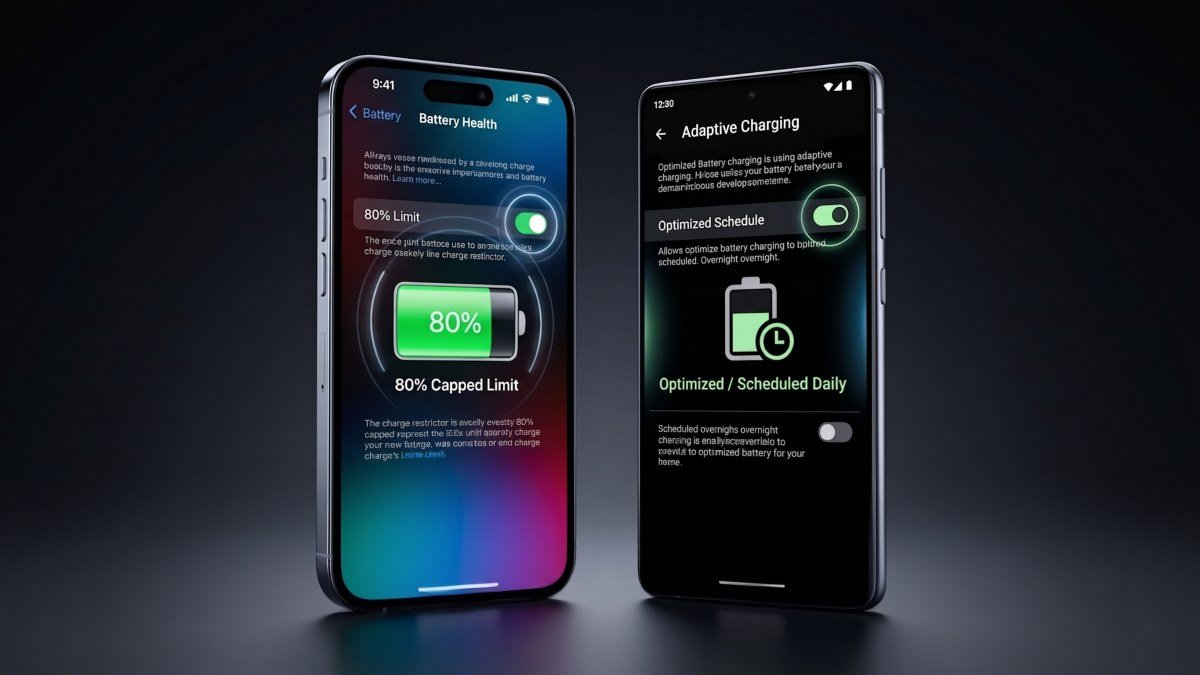
Introduced in recent iOS updates and found across many Android skins like Samsung's One UI (often labeled as "Protect Battery"), the 80% Charge Limit does exactly what it says. When toggled on, your phone will charge up to 80% and then completely sever the connection to the charging cable. It will absolutely refuse to charge to 100%, no matter how long it stays plugged in.
The Pros:
- Maximum Lifespan: This is the absolute best Android battery setting (and iOS setting) for preserving long-term battery health. By never entering the high-stress 80-100% zone, your battery will suffer minimal chemical degradation over the years.
- Perfect for Heavy Drivers & Desk Workers: If your phone is constantly plugged into Apple CarPlay, Android Auto, or sitting on a MagSafe desk stand all day, this prevents the device from baking at 100% for hours on end.
The Cons:
- Daily Sacrifices: You are actively choosing to handicap your device. By artificially limiting your battery, a phone that normally gets 10 hours of screen-on time will now only get 8 hours. You are sacrificing daily convenience today for long-term health tomorrow.
Option 2: Optimised Battery Charging (The AI Approach)
If sacrificing 20% of your battery every morning sounds terrible, Optimised Battery Charging is the smart alternative. Instead of a hard cap, this feature uses on-device machine learning to track your daily routine.
If you plug your phone in at 11:00 PM and usually wake up at 7:00 AM, the phone will quickly charge to 80% and stop. It will hold that 80% charge throughout the night, protecting the battery from trickle-charging heat. Then, right around 6:00 AM, it will resume charging, ensuring you wake up to a fresh 100% battery right when your alarm goes off.
The Pros:
- The Best of Both Worlds: You get a full 100% charge for your busy day, but the phone spends significantly less time in the high-stress, fully-charged state overnight.
- Zero Effort: It runs completely in the background without requiring you to manually manage your charging habits.
The Cons:
- Schedule Dependency: If you work shift jobs, travel frequently across time zones, or wake up at wildly unpredictable hours, the AI will fail to learn your routine. You might wake up early to catch a flight and find your phone stuck at 80% because it thought you were going to sleep in.
Direct Comparison: Which Setting is Right for You?
To help you decide how to protect iPhone battery health and Android longevity based on your specific lifestyle, here is a direct comparison of the two modes:
| Feature Focus | 80% Charge Limit (Hard Cap) | Optimised Battery Charging (Smart) |
|---|---|---|
| Final Morning Charge | Stops at exactly 80% | Charges to 100% before you wake up |
| Best User Lifestyle | Desk workers, gig drivers, constant chargers | Users with predictable daily routines |
| Battery Preservation Level | Maximum Protection (Highest longevity) | Moderate Protection (Balances health and use) |
| Daily Battery Anxiety | High (You lose 20% of your total capacity) | Low (You start your day at 100%) |
Swipe sideways to see all table columns →
- 80% Charge Limit (Hard Cap)
- Stops at exactly 80%
- Optimised Battery Charging (Smart)
- Charges to 100% before you wake up
- 80% Charge Limit (Hard Cap)
- Desk workers, gig drivers, constant chargers
- Optimised Battery Charging (Smart)
- Users with predictable daily routines
- 80% Charge Limit (Hard Cap)
- Maximum Protection (Highest longevity)
- Optimised Battery Charging (Smart)
- Moderate Protection (Balances health and use)
- 80% Charge Limit (Hard Cap)
- High (You lose 20% of your total capacity)
- Optimised Battery Charging (Smart)
- Low (You start your day at 100%)
The Final Verdict
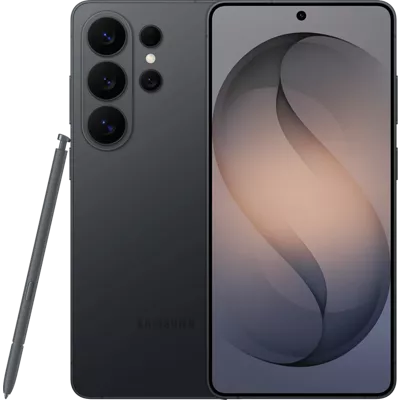
For 90% of smartphone users, Optimised Battery Charging is the correct choice. Devices like the Samsung Galaxy S26 Ultra and modern iPhones are designed to be used to their fullest potential. Using the AI-driven optimized setting protects your phone from the worst overnight trickle-charging damage while still giving you the 100% capacity you paid for.
You should only use the strict 80% Charge Limit if you fall into a very specific category: you work at a desk with your phone permanently on a wireless charger, or you drive for a living and your phone is permanently plugged into your car's dashboard. In those scenarios, capping the battery will prevent massive heat degradation.
If you are currently researching upgrades and want a phone that simply powers through the day regardless of your charging habits, be sure to check out our recent iPhone 18 Pro Max vs Galaxy S26 Ultra comparison for a deep dive into the latest battery endurance benchmarks.