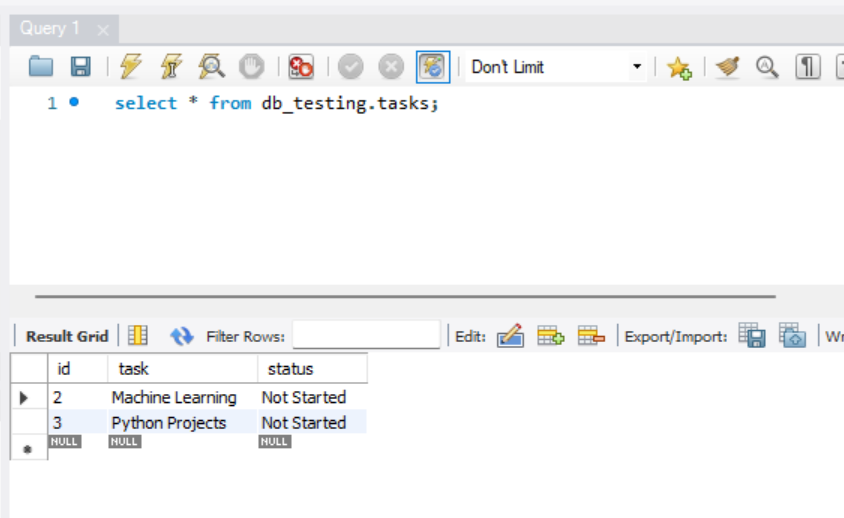
In this tutorial, we'll walk through the process of building a simple to-do application using Streamlit for the frontend and MySQL for the backend database. We'll cover setting up the database, defining the database schema, implementing CRUD operations, and creating the user interface with Streamlit.
1. Setting Up the Database
The first step is to set up the MySQL database that will store our to-do tasks. Assuming you have MySQL installed, you can create a new database using the following SQL command:
CREATE DATABASE database_name;First, install the necessary packages:
pip install streamlit sqlalchemy pymysql2. Defining the Database Schema
Next, we'll define the schema for our tasks table. Each task will have an id, task description, and status indicating whether it's "Not Started," "In Progress," or "Completed."
from sqlalchemy import create_engine, Column, Integer, String, MetaData, Table
from sqlalchemy.orm import sessionmaker, declarative_base

DATABASE_URL = "mysql+pymysql://Username:Password@host/database"

engine = create_engine(DATABASE_URL)
SessionLocal = sessionmaker(autocommit=False, autoflush=False, bind=engine)
Base = declarative_base()

class Task(Base):
    __tablename__ = 'tasks'
    id = Column(Integer, primary_key=True, index=True)
    task = Column(String(255), nullable=False)
    status = Column(String(50), nullable=False)

Base.metadata.create_all(bind=engine)
you'll need to provide the connection details for your MySQL database in the DATABASE_URL variable. These details typically include the username, password, host, port (optional), and database name. The format for the connection URL is as follows:
mysql+pymysql://<username>:<password>@<host>:<port>/<database>Here is a breakdown of each component:
<username>: Your MySQL username.<password>: Your MySQL password.<host>: The hostname or IP address of your MySQL server.<port>: The port number your MySQL server is listening on (default is 3306). This is optional and can be omitted if you are using the default port.<database>: The name of the database you want to connect to.
3. Implementing CRUD Operations
We'll define functions to perform CRUD (Create, Read, Update, Delete) operations on the tasks table.
def get_db():
    db = SessionLocal()
    try:
        yield db
    finally:
        db.close()

def add_task_to_db(task: str, status: str):
    db = next(get_db())
    new_task = Task(task=task, status=status)
    db.add(new_task)
    db.commit()
    db.refresh(new_task)
    return new_task

def update_task_in_db(task_id: int, new_task: str, new_status: str):
    db = next(get_db())
    task = db.query(Task).filter(Task.id == task_id).first()
    if task:
        task.task = new_task
        task.status = new_status
        db.commit()
    return task

def delete_task_from_db(task_id: int):
    db = next(get_db())
    task = db.query(Task).filter(Task.id == task_id).first()
    if task:
        db.delete(task)
        db.commit()
    return task

def get_all_tasks():
    db = next(get_db())
    return db.query(Task).all()
4. Creating the User Interface with Streamlit
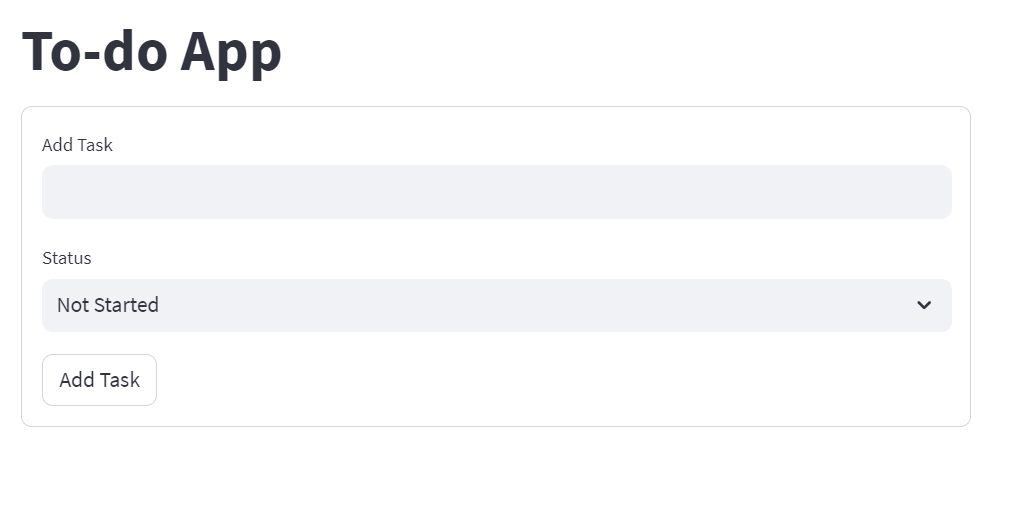
Finally, we'll create a simple user interface for our to-do app using Streamlit.
import streamlit as st
from db import add_task_to_db, update_task_in_db, delete_task_from_db, get_all_tasks

st.title("To-do App")

tasks = get_all_tasks()

# Form to add a new task
with st.form(key="add_task_form"):
    new_task = st.text_input('Add Task')
    new_status = st.selectbox('Status', ['Not Started', 'In Progress', 'Completed'])
    add_task_button = st.form_submit_button('Add Task')
    if add_task_button and new_task:
        add_task_to_db(new_task, new_status)
        st.success(f'Task "{new_task}" added with status "{new_status}"!')

# Display tasks list
if tasks:
    st.write("### Tasks List")
    for task in tasks:
        st.write(f"{task.id}. {task.task} - {task.status}")

    # Form to edit a task
    task_id = st.number_input('Task ID', min_value=1, max_value=len(tasks), step=1, key='task_id')
    with st.form(key="edit_task_form"):
        edit_task_input = st.text_input('Edit Task', key="edit_task_input")
        edit_status_input = st.selectbox('Edit Status', ['Not Started', 'In Progress', 'Completed'], key="edit_status_input")
        edit_button = st.form_submit_button("Edit Task")
        if edit_button and edit_task_input:
            update_task_in_db(task_id, edit_task_input, edit_status_input)
            st.success(f'Task {task_id} updated to "{edit_task_input}" with status "{edit_status_input}"')

    # Button to delete a task
    delete_button = st.button("Delete Task")
    if delete_button:
        delete_task_from_db(task_id)
        st.success(f"Task {task_id} deleted")
Complete code for db.py & app.py
db.py
from sqlalchemy import create_engine, Column, Integer, String, MetaData, Table
from sqlalchemy.orm import sessionmaker, declarative_base

DATABASE_URL = mysql+pymysql://<username>:<password>@<host>:<port>/<database>

engine = create_engine(DATABASE_URL)
SessionLocal = sessionmaker(autocommit=False, autoflush=False, bind=engine)
Base = declarative_base()

class Task(Base):
    __tablename__ = 'tasks'
    id = Column(Integer, primary_key=True, index=True)
    task = Column(String(255), nullable=False)
    status = Column(String(50), nullable=False)

Base.metadata.create_all(bind=engine)

def get_db():
    db = SessionLocal()
    try:
        yield db
    finally:
        db.close()

def add_task_to_db(task: str, status: str):
    db = next(get_db())
    new_task = Task(task=task, status=status)
    db.add(new_task)
    db.commit()
    db.refresh(new_task)
    return new_task

def update_task_in_db(task_id: int, new_task: str, new_status: str):
    db = next(get_db())
    task = db.query(Task).filter(Task.id == task_id).first()
    if task:
        task.task = new_task
        task.status = new_status
        db.commit()
    return task

def delete_task_from_db(task_id: int):
    db = next(get_db())
    task = db.query(Task).filter(Task.id == task_id).first()
    if task:
        db.delete(task)
        db.commit()
    return task

def get_all_tasks():
    db = next(get_db())
    return db.query(Task).all()
app.py
import streamlit as st
from db import add_task_to_db, update_task_in_db, delete_task_from_db, get_all_tasks

st.title("To-do App")

tasks = get_all_tasks()

with st.form(key="add_task_form"):
    new_task = st.text_input('Add Task')
    new_status = st.selectbox('Status', ['Not Started', 'In Progress', 'Completed'])
    add_task_button = st.form_submit_button('Add Task')
    if add_task_button and new_task:
        add_task_to_db(new_task, new_status)
        st.success(f'Task "{new_task}" added with status "{new_status}"!')
        st.experimental_rerun()

if tasks:
    st.write("### Tasks List")
    for task in tasks:
        st.write(f"{task.id}. {task.task} - {task.status}")

    task_id = st.number_input('Task ID', min_value=1, max_value=len(tasks), step=1, key='task_id')

    with st.form(key="edit_task_form"):
        edit_task_input = st.text_input('Edit Task', key="edit_task_input")
        edit_status_input = st.selectbox('Edit Status', ['Not Started', 'In Progress', 'Completed'], key="edit_status_input")
        edit_button = st.form_submit_button("Edit Task")
        if edit_button and edit_task_input:
            update_task_in_db(task_id, edit_task_input, edit_status_input)
            st.success(f'Task {task_id} updated to "{edit_task_input}" with status "{edit_status_input}"')
            st.experimental_rerun()

    delete_button = st.button("Delete Task")
    if delete_button:
        delete_task_from_db(task_id)
        st.success(f"Task {task_id} deleted")
        st.experimental_rerun()
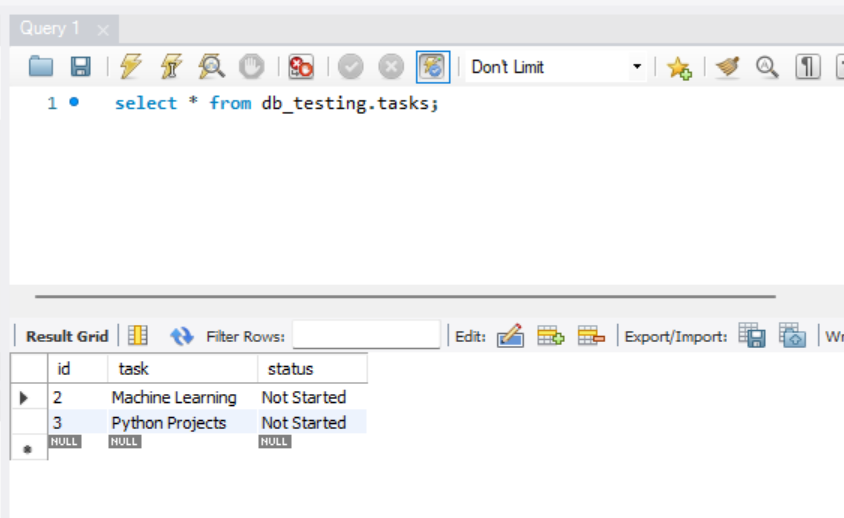
Output Images:
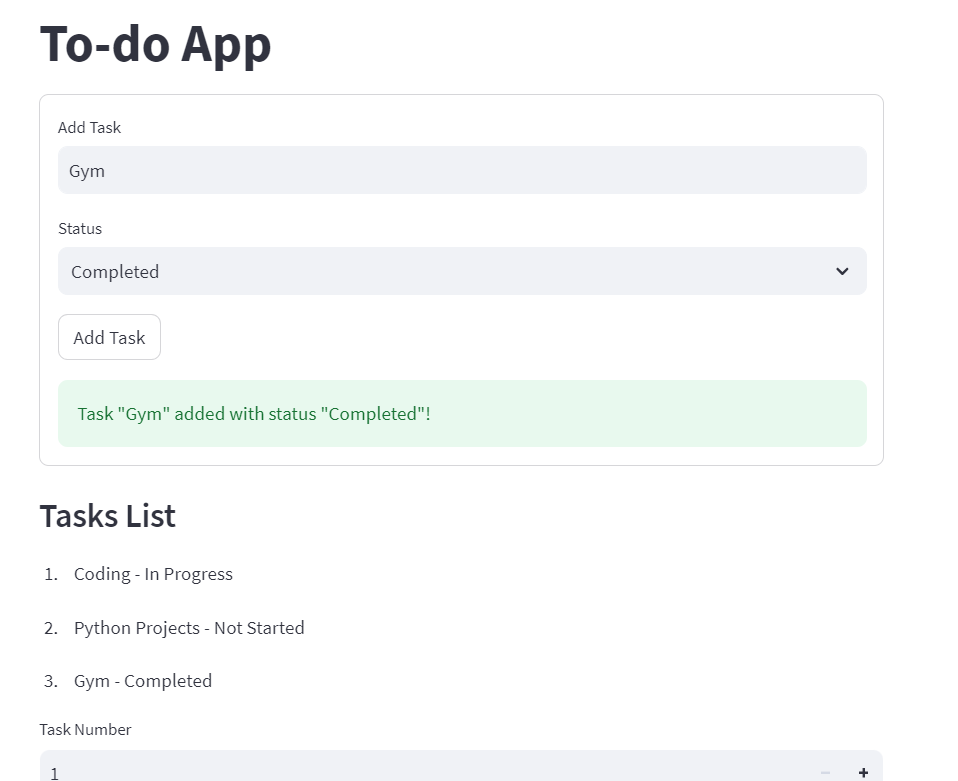
Conclusion:
In summary, we've successfully developed a To-Do App using Streamlit and SQLAlchemy. This application provides users with a straightforward interface to manage tasks efficiently. Leveraging Streamlit's simplicity, we crafted an intuitive web interface allowing seamless task addition, editing, and deletion. Meanwhile, SQLAlchemy facilitated robust database management, ensuring smooth data operations.
This tutorial exemplifies the power of Python libraries in creating practical solutions. Whether you're a developer honing your skills or an individual seeking personalized task management, this guide offers a solid starting point. Moving forward, feel free to explore further customization and feature additions to tailor the app to your specific needs. With creativity and innovation, the potential for enhancement is limitless.
If you have any queries related to this article, then you can ask in the comment section, we will contact you soon, and Thank you for reading this article.
Follow me to receive more useful content:
Instagram | Twitter | Linkedin | Youtube
Thank you